Cutting Objects
Cutting generated and imported objects provides an opportunity to add paths in other orientations to further refine an active contour model. New objects can then be generated that include any of the additional paths cut from the selected object(s). See Object Cut Settings for information about the options available to cut objects.
- Generate the required object or import a reference object.
- Select the view on which you want to cut the object.
For example, if most of your paths are in an X-Y orientation, you may want to add paths in the X-Z or Y-Z orientation.
- Select the required group of active contour paths in the Data Properties and Settings panel.
- Click the Object cut tab and then select the object you want to cut in the Object to cut drop-down menu.
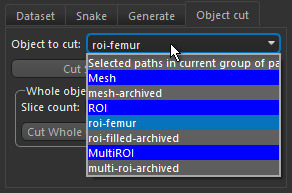
You can cut the object that would be generated with the selected paths in the current group of paths by selecting the item 'Selected paths in current group of paths'. You can also choose any available mesh, ROI, or multi-ROI.
- Do one of the following:
- Click the Cut Single Slice on Current View button to cut the selected object on the current view.
A new path appears in the selected view and is listed in the Active Contour panel.
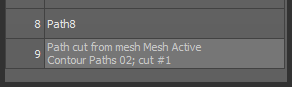
Note In some cases, such as a curved object in which multiple closed areas are contained within the selected view, more than one path may be cut.
- Select the number of slices you need as the Slice count in the Whole object cut box and then click the Cut Whole Object in Current View Orientation button.
New paths appear in the selected view and are listed in the Active contour panel.
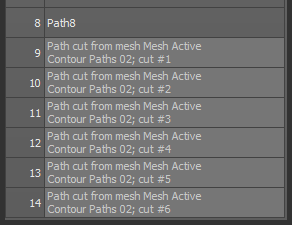
- Click the Cut Single Slice on Current View button to cut the selected object on the current view.
- Examine the path(s) that were cut from the selected object.
Note You can quickly view a selected path onscreen by clicking the Look at Path
 button at the bottom of the path list.
 - If required, you can refine any of the cut paths by iteration or by manually editing it with the Repulsor tool.
- Generate a new object that includes any or all of the paths cut from the selected object(s) along with the original paths.
